
How to Clear Recently Deleted Photos on iPhone & iPad
Permanently delete photos and videos from your Recently Deleted album to free up storage immediately.
Or follow the steps below manually
Free up 1-10GB instantly by permanently deleting photos and videos from your Recently Deleted album.
Why This Matters
When you delete photos or videos on your iPhone or iPad, they aren’t immediately removed. Instead, they sit in the Recently Deleted album for 30 days, still taking up storage space.
The Problem:
- Deleted photos continue using storage for up to 30 days
- Can accumulate several gigabytes over time
- Most users forget to empty this album
The Solution: Empty the Recently Deleted album to reclaim storage immediately.
Step-by-Step Guide
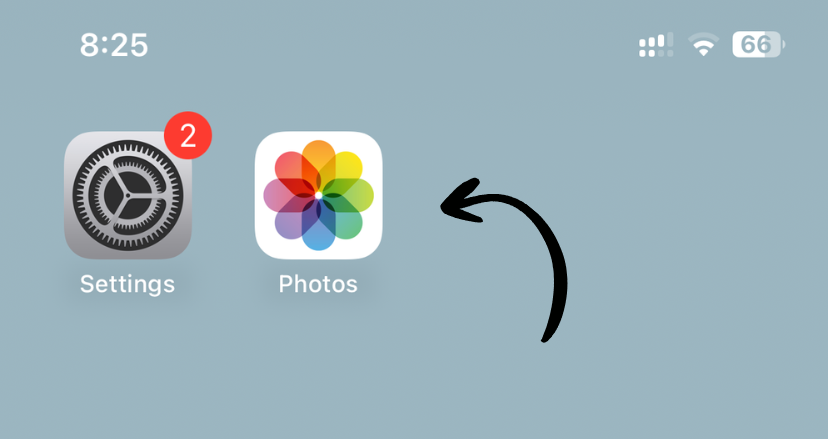
1. Open the Photos App
Tap the Photos icon on your home screen.
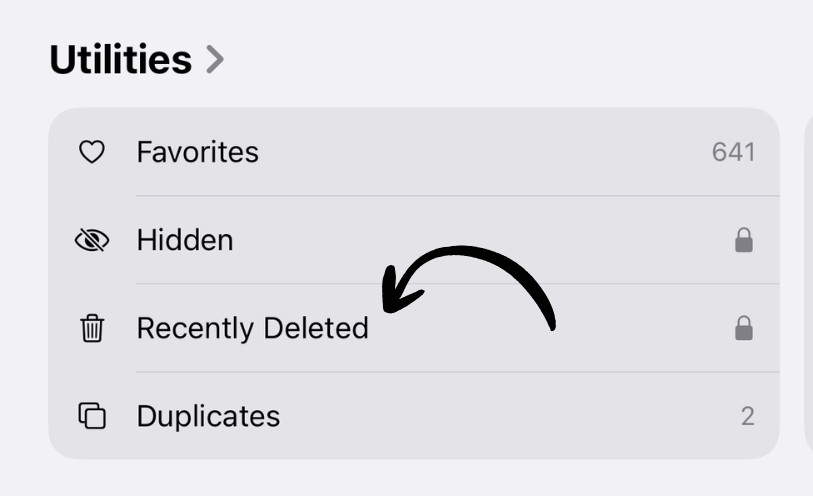
2. Scroll to Recently Deleted
Scroll down to the Utilities section and tap Recently Deleted.
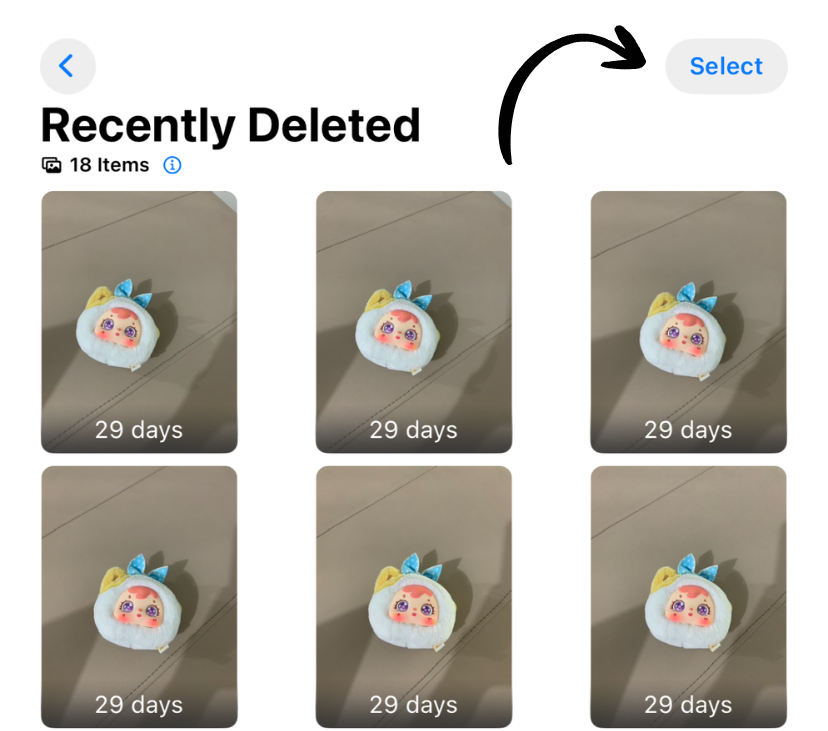
3. Empty the Album
Tap Select in the top right, then tap Delete All in the bottom left.
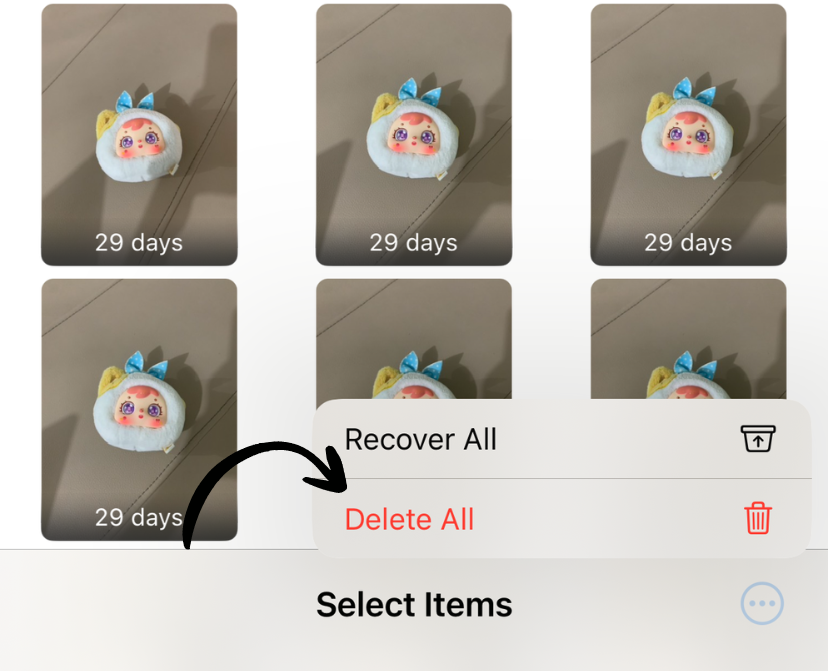
4. Confirm Deletion
Tap Delete From All Devices to permanently remove them.
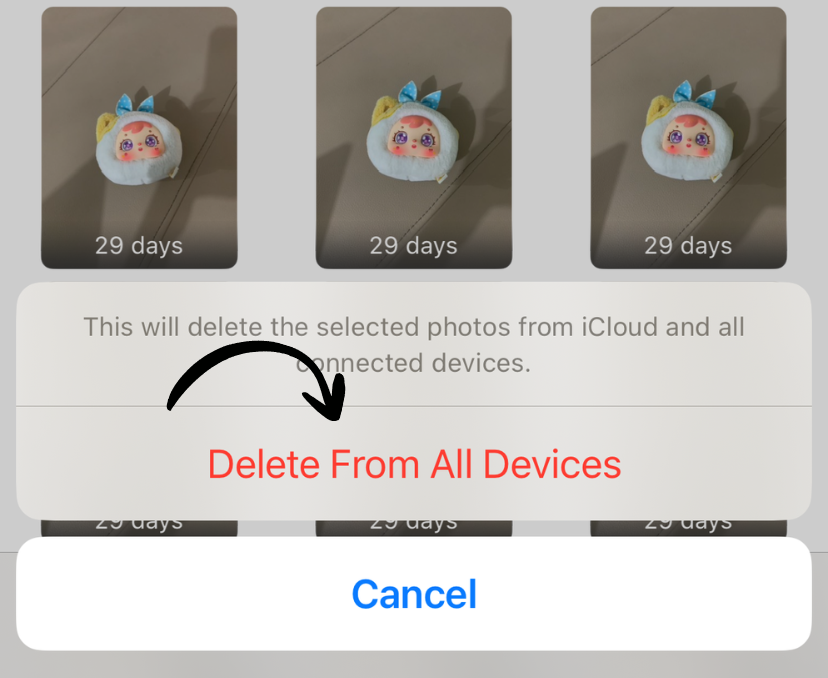
✅ Done! Storage is freed up immediately.
How Much Space Will I Save?
The Recently Deleted album shows how much space it’s using at the top. Common savings:
- Light users: 500MB - 2GB
- Regular users: 2GB - 5GB
- Heavy users: 5GB - 10GB+
Important Notes
⚠️ This action cannot be undone. Photos are permanently deleted.
💡 Tip: Check this album monthly as part of device maintenance.
What Gets Deleted
The Recently Deleted album contains:
- Photos you deleted in the last 30 days
- Videos you deleted in the last 30 days
- Screenshots and screen recordings you deleted
Items are automatically deleted after 30 days, but you can reclaim space immediately by emptying the album manually.
Works on iPhone and iPad
This guide applies to both iPhone and iPad running iOS 8 or later. The Photos app interface is identical on both devices.
Related Guides
Clean Up Duplicate Photos Automatically
After optimizing your settings, use Dedupify to find and remove duplicate photos.
Download Dedupify