
How to Manage Background App Refresh on iPhone & iPad
Control which apps refresh in the background to save battery and data usage.
Or follow the steps below manually
Save battery and cellular data by controlling which apps can refresh content in the background.
Why This Matters
Background App Refresh allows apps to update their content when you’re not using them. While convenient, it can:
- Drain battery faster
- Use cellular data unexpectedly
- Slow down device performance
Typical battery savings: 5-15% when disabled for unused apps
Step-by-Step Guide
Disable for Specific Apps (Recommended)
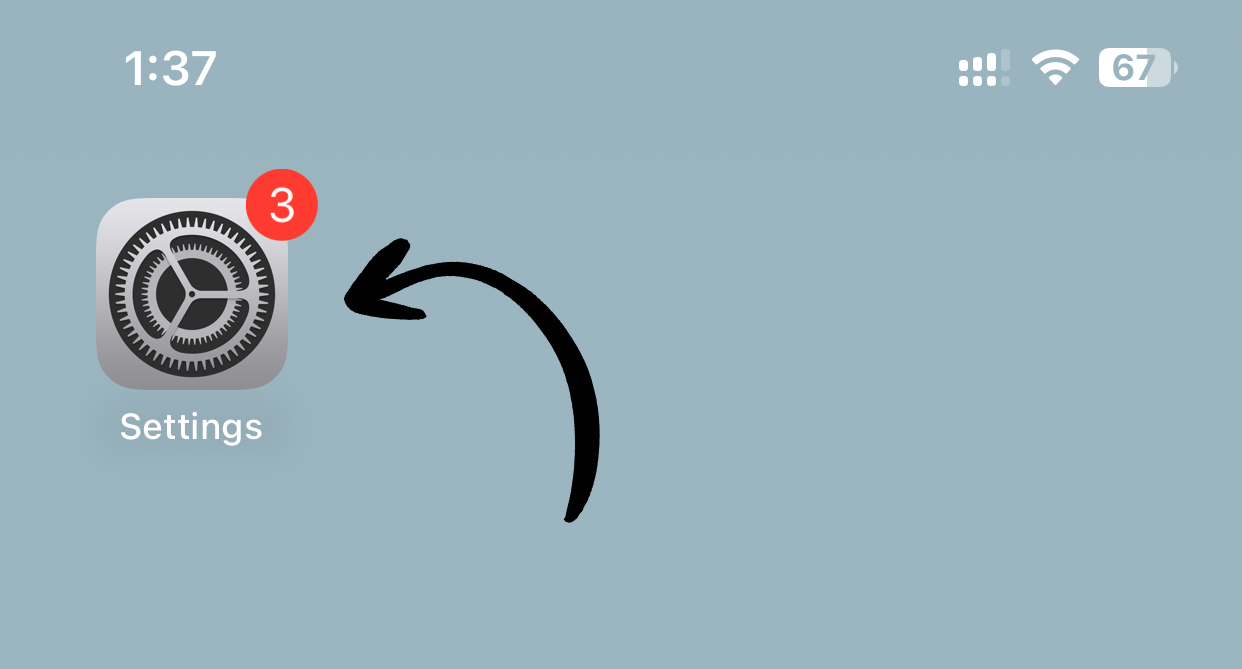
1. Open Settings
Tap Settings on your home screen.
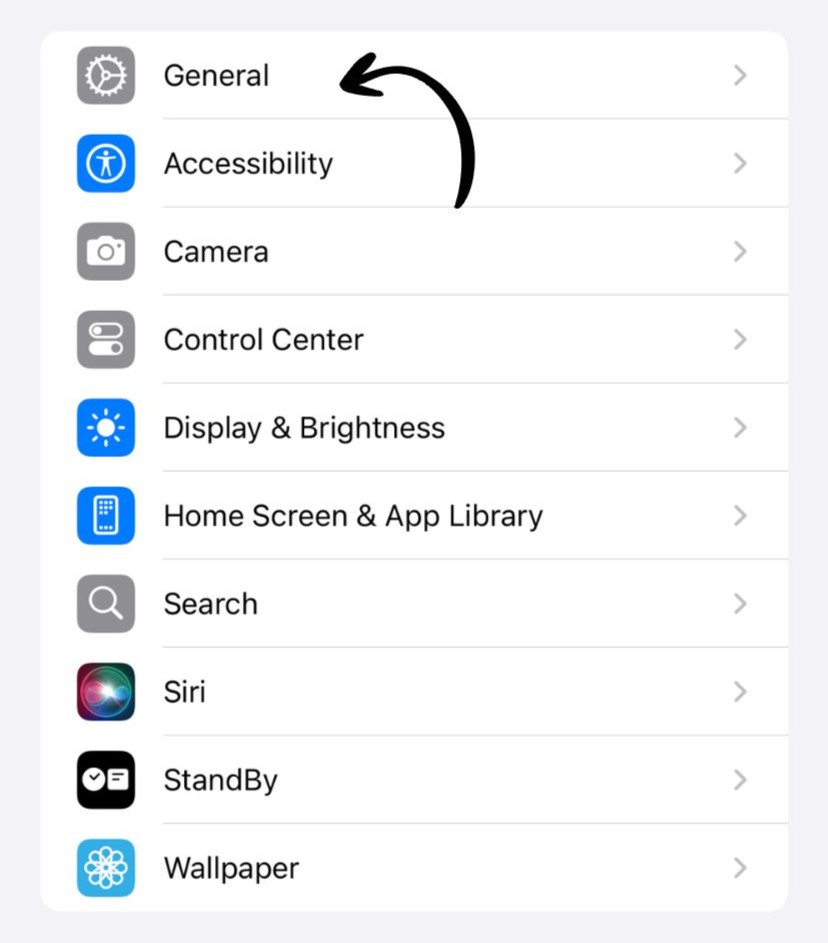
2. Go to General
Tap General.
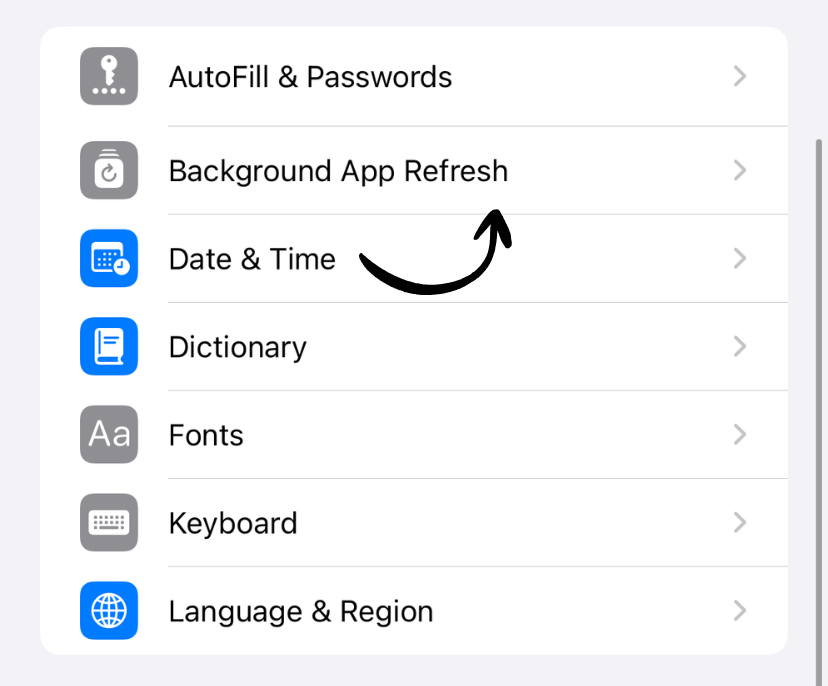
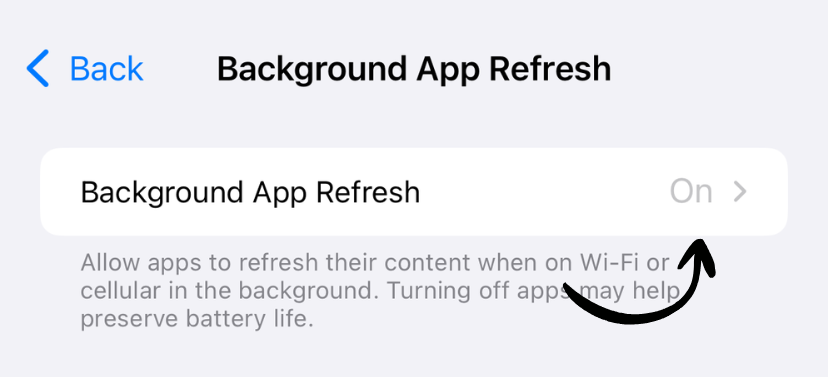
3. Tap Background App Refresh
Tap Background App Refresh.
4. Choose Apps to Disable
Scroll through the list and toggle off apps you don’t need to update in the background.
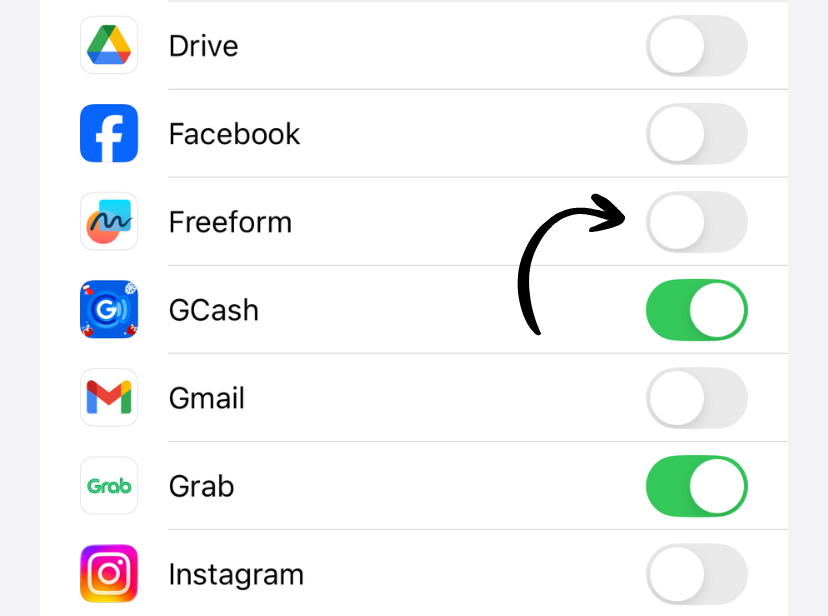
✅ Done! Selected apps will no longer refresh in the background.
Disable All Background Refresh
If you want maximum battery savings:
1. Follow steps 1-3 above
2. Tap Background App Refresh at the top
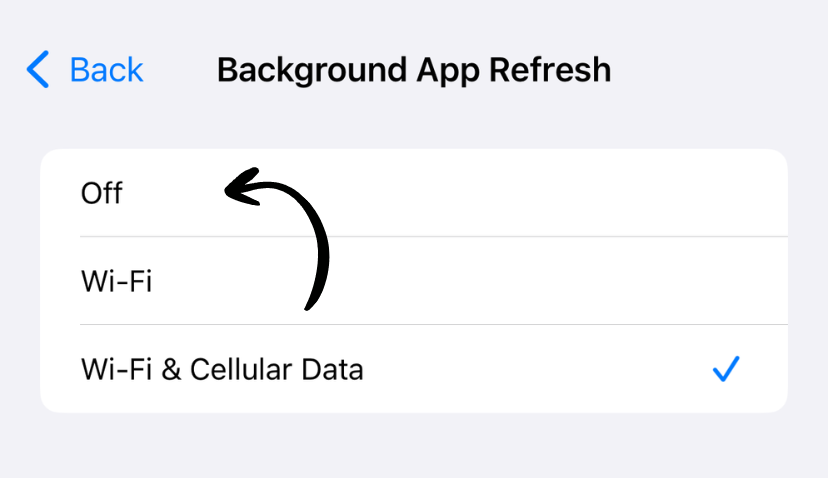
3. Select Off
Choose Off to disable for all apps.
Which Apps Should You Disable?
Good candidates to disable:
- ✅ Games (don’t need background updates)
- ✅ Photo editing apps
- ✅ Shopping apps
- ✅ Apps you rarely use
- ✅ Social media (if you don’t need instant notifications)
Keep enabled for:
- ❌ Email apps (for new message alerts)
- ❌ Messaging apps (WhatsApp, Slack, etc.)
- ❌ News apps (if you want latest headlines)
- ❌ Navigation apps (for traffic updates)
- ❌ Health/fitness apps (for activity tracking)
Three Options Explained
When you tap Background App Refresh at the top, you’ll see:
Off
- No apps can refresh in background
- Maximum battery savings
- Apps only update when you open them
Wi-Fi
- Apps refresh only on Wi-Fi
- Saves cellular data
- Good battery savings
Wi-Fi & Cellular Data
- Apps refresh on any connection
- Most convenient
- Uses more battery and data
What Happens When It’s Off?
You’ll still get:
- Push notifications
- Phone calls and texts
- App updates when you open apps
You won’t get:
- Automatic content updates
- Latest data when opening apps
- Background location updates (for some apps)
Battery Impact
Typical battery usage by Background App Refresh:
- Light users: 5-10% of battery per day
- Heavy users: 10-15% of battery per day
- When disabled completely: Save 5-15% battery
Cellular Data Savings
Disabling Background App Refresh can save:
- Light users: 100-500MB per month
- Heavy users: 500MB-2GB per month
Check your data usage before and after to see actual savings.
Works on iPhone and iPad
This feature works identically on both iPhone and iPad running iOS 7 or later. The settings interface is the same on both devices.
Related Guides
Clean Up Duplicate Photos Automatically
After optimizing your settings, use Dedupify to find and remove duplicate photos.
Download Dedupify